Authorization
Create a token to get data access#
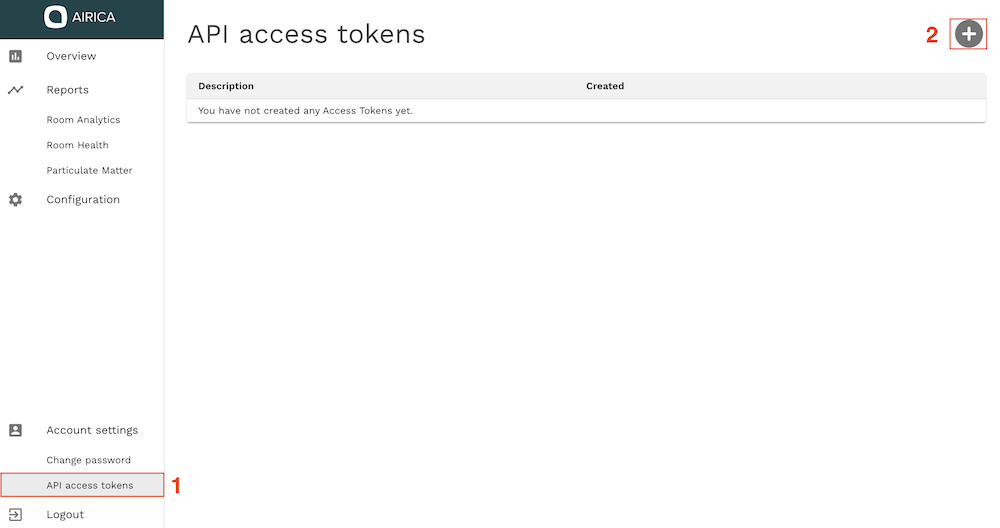
You need a valid token to use the AIRICA API. Tokens can be created in the AIRICA application at https://app.airica.com. Sign into the application, navigate to the section Access Tokens and click on the plus button on the top right.
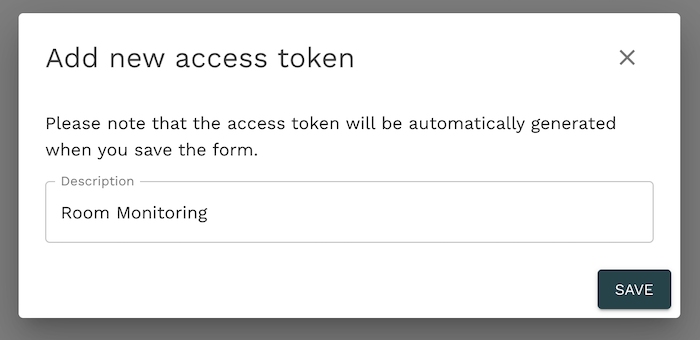
You can define a description for the token. We recommend that you choose a description that will help you recognize a token at a later time. E.g. if you want to build an integration to a HVAC system for a building XY you can use a description such as "HVAC Integration Building XY"
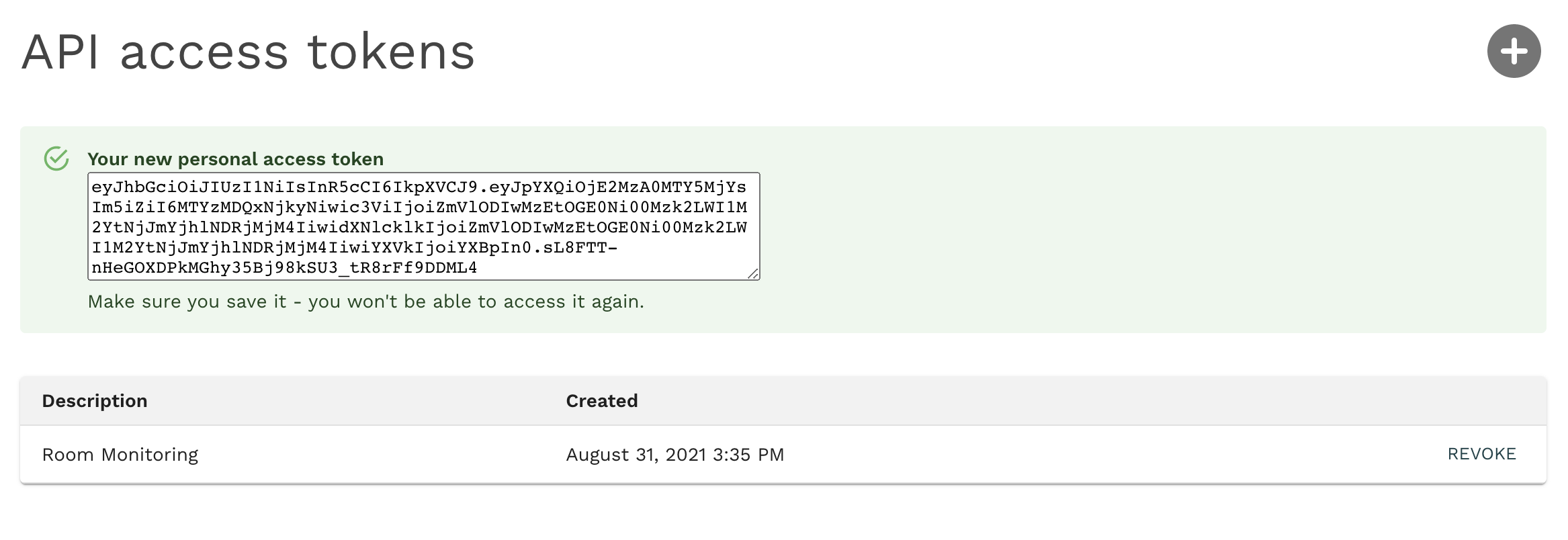
Once you click on save, a new token (JWT) will be generated. This token can only be saved in this step so please make sure to save the token. AIRICA is not able to recover lost tokens.
Authorize your requests#
To authenticate with the AIRICA API you must send the header Authorization: Bearer <token> with each request. Replace the placeholder <token> with the token you saved in the previous step.
Token security#
Tokens generated in the application do not expire by default. Since access tokens grant access to most web application functions, secure token storage is required. Never share tokens with other parties or individuals.
If a token has been compromised you can revoke access for that token in the AIRICA application at https://app.airica.com. Identify the compromised token and click on revoke.